Page 1 of 1
Trouble with BlueBot
Posted: Thu Jan 08, 2026 11:48 am
by amyCC
Posted on behalf of student
Project:
https://www.sciencebuddies.org/science- ... ding-robot
-----------------------------------------------------
I built the robot and worked but it is not walking forward instead it is turning around itself
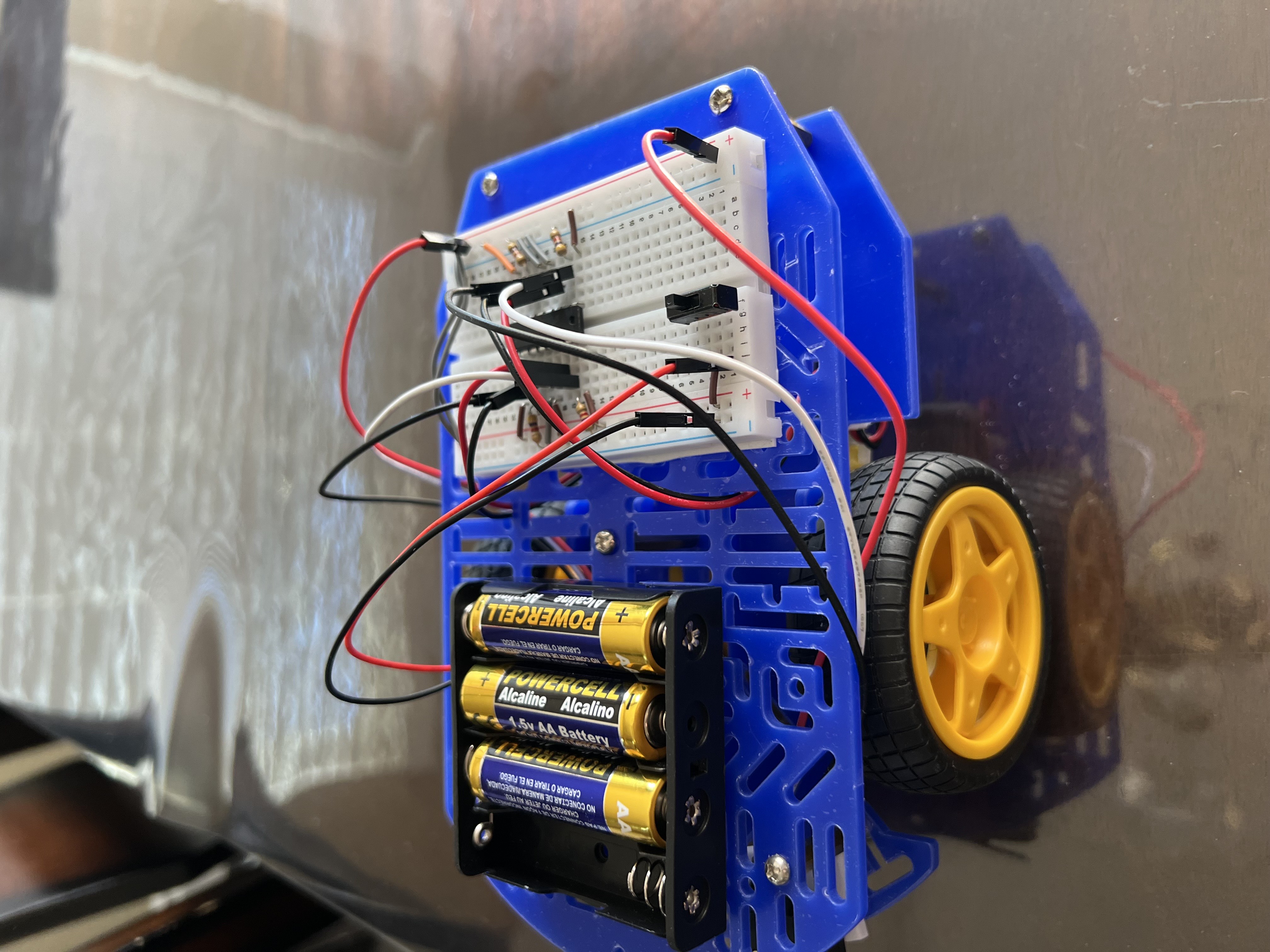
- IMG_6155.jpeg (2.04 MiB) Viewed 3538 times
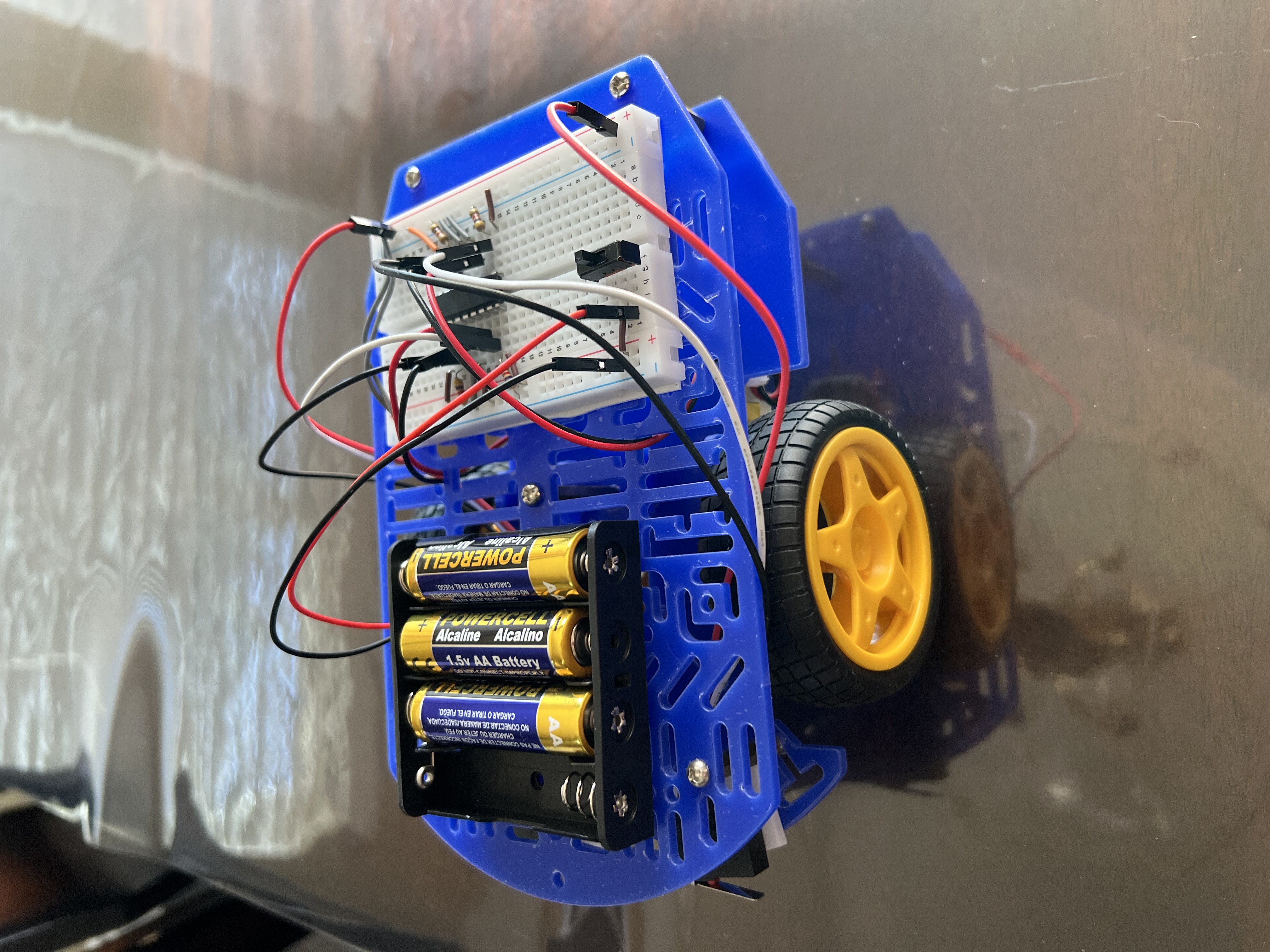
- IMG_6156.jpeg (2.03 MiB) Viewed 3538 times
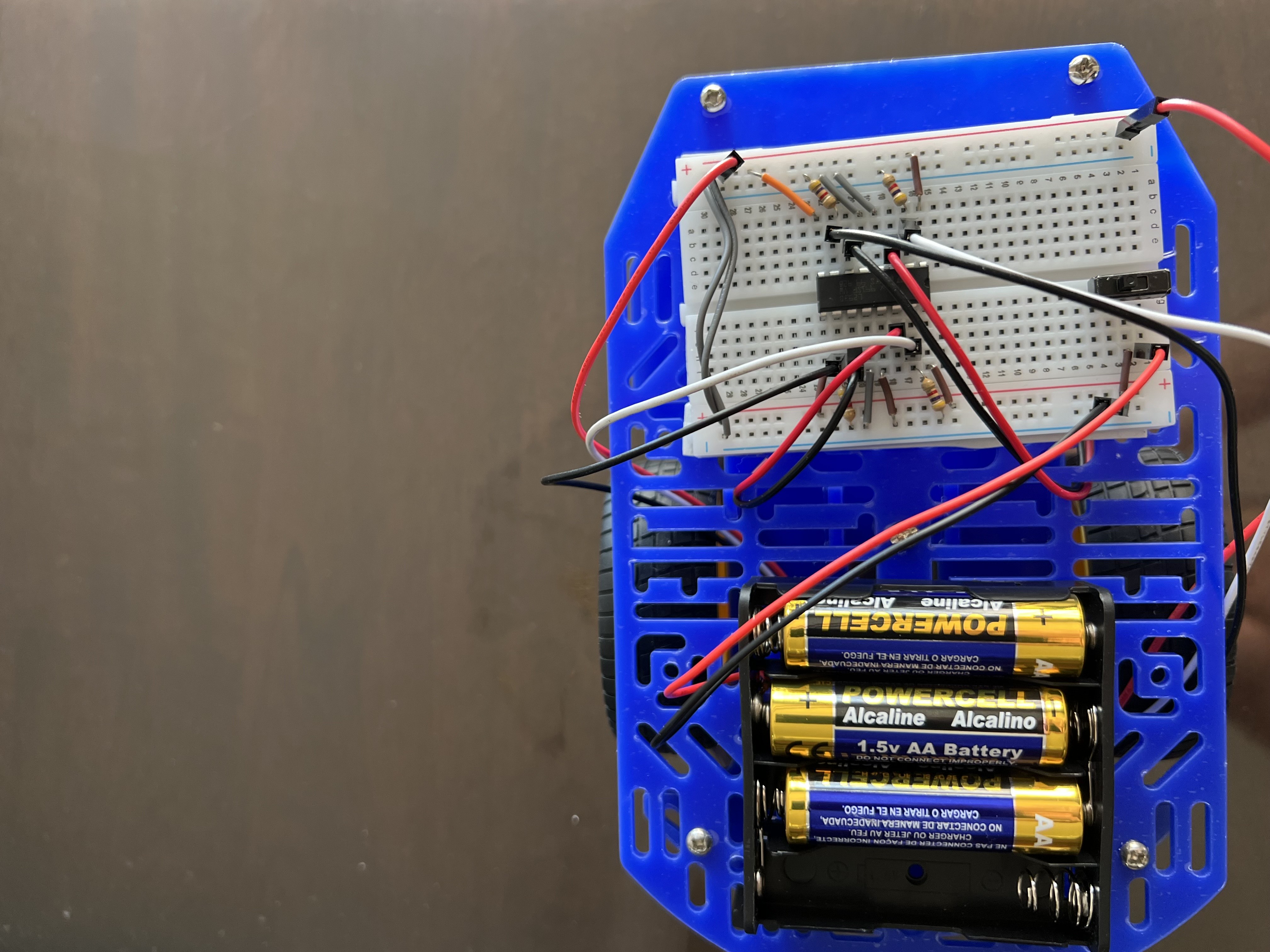
- IMG_6157.jpeg (1.73 MiB) Viewed 3538 times
Re: Trouble with BlueBot
Posted: Thu Jan 08, 2026 1:07 pm
by Zain2015
So how can the robot work correctly
Re: Trouble with BlueBot
Posted: Fri Jan 09, 2026 4:57 am
by bfinio
Hi, two things:
1) Please refer to the project's FAQ if you have trouble:
https://www.sciencebuddies.org/science- ... -robot#faq. If one wheel is spinning backwards or not at all, you can reverse the positive and negative wires for that motor to make it spin the other way.
2) If you only want to use 3 batteries so the robot goes slower, you should use the 3-battery holder that came with your kit, not the 4-battery holder.
Hope that helps, please let us know if you have more questions.
- Ben (project author)
Re: Trouble with BlueBot
Posted: Fri Jan 09, 2026 7:21 am
by Zain2015
Hi
I have one wheel spinning backwards and the other forward
What should I do
Please explain in details?
Re: Trouble with BlueBot
Posted: Fri Jan 09, 2026 7:25 am
by MadelineB
As Ben just posted:
1) Please refer to the project's FAQ if you have trouble:
https://www.sciencebuddies.org/science- ... -robot#faq. If one wheel is spinning backwards or not at all, you can reverse the positive and negative wires for that motor to make it spin the other way.
Re: Trouble with BlueBot
Posted: Fri Jan 09, 2026 7:26 am
by bfinio
Make sure the power switch is turned off and the wheels are not spinning. Then, for the wheel that is spinning backward:
- Unplug the red wire for that motor
- Plug it in to the same breadboard row as the black wire for that motor
- Unplug the black wire for that motor
- Plug it in to the same breadboard row that the red wire was previously plugged in to
That will reverse the direction of the motor.